The question of what is AI document analysis and how does it work has become the central focus of enterprise digital transformation in 2026. As organizations drown in unstructured data from invoices and contracts to medical records and research papers—relying on manual data entry is no longer a viable business strategy. However, for many IT leaders and operations managers, the underlying mechanics of this technology remain a mystery. If you are wondering what is AI document analysis and how does it work, you are not alone; understanding the convergence of computer vision, natural language processing (NLP), and machine learning is the first step toward implementing a successful automation strategy.
This comprehensive guide demystifies the technology, answering exactly what is AI document analysis and how does it work by breaking down the core components of AI document processing, automated document review, and intelligent document processing. By the end of this article, you will have a clear, technical, and strategic understanding of how Document AI software transforms unstructured chaos into actionable, structured business intelligence.
![What is AI document analysis and how does it work]
1. Defining the Core: What is AI Document Analysis and How Does it Work?
To truly answer the question of what is AI document analysis and how does it work, we must look beyond simple digitization. At its core, AI document analysis is the process of using artificial intelligence to ingest, read, understand, and extract meaningful data from unstructured or semi-structured documents.
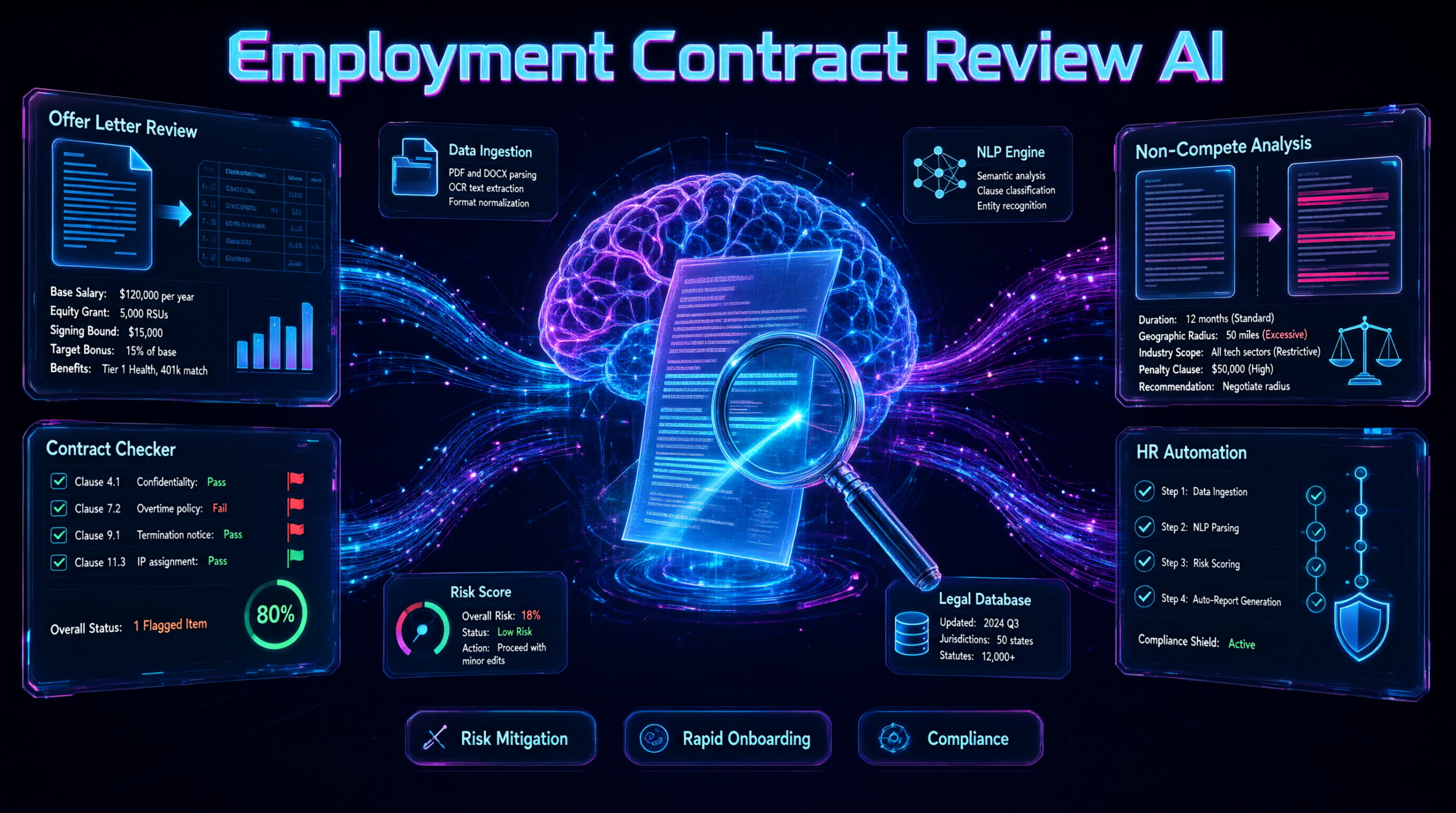
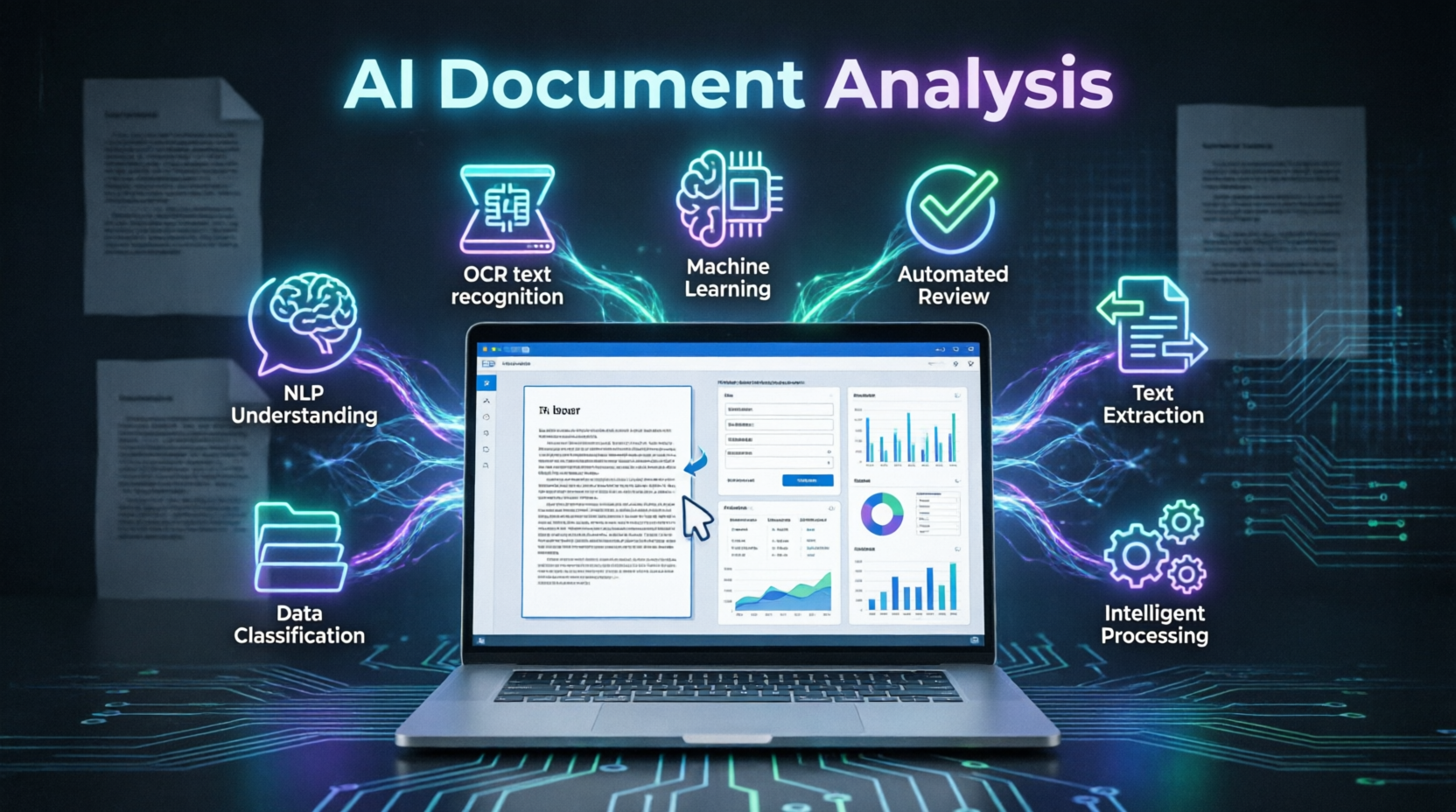
So, what is AI document analysis and how does it work on a technical level? The process typically follows a multi-stage pipeline:
- Ingestion and Pre-processing: The system captures the document (via PDF, image, or scan) and enhances the image quality, deskews pages, and removes noise.
- Optical Character Recognition (OCR): The software converts images of text into machine-readable characters.
- Layout Analysis: The AI identifies the structural elements of the page, such as tables, headers, paragraphs, and checkboxes.
- Semantic Understanding (NLP): This is where the “analysis” happens. The AI reads the extracted text to understand the context, identifying specific entities like names, dates, financial amounts, and legal clauses.
- Data Extraction and Validation: The system pulls the required data fields and validates them against business rules or external databases.
When business leaders ask, what is AI document analysis and how does it work, they are really asking how machines can replicate human cognitive reading. According to IBM’s guide to Intelligent Automation, this cognitive automation is what allows enterprises to scale operations without scaling headcount. For a deeper understanding of how to instruct these AI systems to handle complex data, explore our comprehensive guide on How to Write AI Prompts.
2. The Role of AI Document Processing in Modern Workflows
Once you understand what is AI document analysis and how does it work, you can begin to see its impact on broader AI document processing workflows. AI document processing is the umbrella term that encompasses the entire lifecycle of a document, from initial capture to final integration into enterprise systems like ERPs, CRMs, or databases.
Key Components of AI Document Processing:
- Multi-Channel Ingestion: Accepting documents via email, web portals, mobile apps, or bulk uploads.
- Classification: Automatically sorting documents into categories (e.g., separating an invoice from a purchase order or a W-2 form).
- Data Extraction: Pulling the specific key-value pairs required for downstream processes.
- Human-in-the-Loop (HITL) Exception Handling: Routing low-confidence extractions to human reviewers for quick validation.
- System Integration: Automatically pushing the structured data into your core business applications via APIs.
By implementing a robust AI document processing pipeline, organizations can achieve straight-through processing (STP) rates of over 90%, meaning the vast majority of documents are handled entirely without human intervention. To see how these integrated workflows drive enterprise growth, review our detailed breakdown of AI Solutions for Business.
3. Automated Document Review vs. Manual Extraction
The shift from manual extraction to automated document review represents a massive leap in operational efficiency. Manual extraction is slow, prone to fatigue-induced errors, and incredibly expensive. Automated document review, powered by AI, changes the paradigm by allowing machines to perform the initial “heavy lifting” of reading and verifying documents.
Benefits of Automated Document Review:
- Speed: What takes a human hours to read and summarize can be accomplished by AI in milliseconds.
- Consistency: AI does not suffer from fatigue; it applies the same extraction rules to the 10,000th document as it did to the first.
- Scalability: During peak periods (like end-of-year financial audits or open enrollment), automated document review systems can scale infinitely without the need to hire temporary staff.
- Auditability: Every automated decision, confidence score, and human override is logged, creating a perfect audit trail for compliance purposes.
For industries like legal and finance, automated document review is no longer a luxury; it is a competitive necessity. Whether you are reviewing thousands of vendor contracts or processing mortgage applications, AI ensures that no critical detail is overlooked. For technical teams building these automated review pipelines, our guide on AI Coding Prompts is an essential resource.
4. Machine Learning Document Analysis: The Engine of Accuracy
A critical part of understanding what is AI document analysis and how does it work involves examining the role of machine learning document analysis. Traditional rule-based software requires developers to manually program every possible layout and variation of a document. If a vendor changes their invoice format, the system breaks.
Machine learning document analysis solves this by using algorithms that learn from examples rather than explicit programming.
- Supervised Learning: The model is trained on thousands of labeled documents, learning to associate specific visual patterns and text contexts with specific data fields.
- Unsupervised Learning: The AI clusters similar documents together, identifying new layouts or document types it hasn’t seen before.
- Continuous Learning: As human reviewers correct the AI’s mistakes in the HITL queue, the machine learning document analysis model ingests these corrections and improves its accuracy over time.
This self-improving capability is what makes modern AI so powerful. The system actually gets smarter the more you use it, continuously reducing the need for human intervention. To optimize the search and retrieval of these machine-learned insights across your enterprise, many companies leverage platforms like Elastic AI-powered search.
5. AI Text Extraction: From Unstructured to Structured Data
At the heart of the technology is AI text extraction. This is the specific mechanism by which the AI pulls discrete pieces of information from a sea of unstructured text. AI text extraction goes far beyond simple keyword matching; it relies on contextual awareness.
Advanced AI Text Extraction Capabilities:
- Table Extraction: Reconstructing complex, multi-row, and multi-column tables, preserving the relational data between rows and headers.
- Handwriting Recognition (ICR): Utilizing deep learning to read and extract cursive or printed handwriting, which traditionally broke standard OCR engines.
- Checkbox and Mark Detection: Identifying selected checkboxes, signatures, or stamped dates on forms.
- Cross-Page Context: Understanding that a table that starts on page 1 and continues onto page 2 is a single, continuous data structure.
When evaluating AI text extraction tools, accuracy is paramount. Top-tier solutions boast extraction accuracy rates of 95-99% for standardized documents, and 85-95% for highly complex or degraded documents. To discover the best platforms for these specialized extraction tasks, check out our guide on the Best AI Prompt Libraries 2026.
6. Intelligent Document Processing (IDP) vs. Traditional OCR
A common point of confusion is the difference between traditional OCR and intelligent document processing (IDP). If you understand what is AI document analysis and how does it work, you already know that OCR is just the first step.
Traditional OCR:
- Only converts images of text into machine-encoded text.
- Cannot understand the layout, context, or meaning of the document.
- Fails completely on handwritten text or complex, overlapping tables.
- Outputs a flat text file that still requires human interpretation.
Intelligent Document Processing (IDP):
- Combines OCR with AI, NLP, and machine learning.
- Understands the semantic meaning of the text (e.g., knowing that “Acme Corp” is the Vendor Name, not just a random string of characters).
- Classifies the document type automatically.
- Extracts structured data and validates it against business logic.
- Outputs ready-to-use data that can be directly fed into downstream systems.
Intelligent document processing is the evolution of OCR. It transforms the computer from a simple “typewriter” into a “reader” and “analyst.” When upgrading from legacy OCR to a true IDP solution, organizations typically see a 40% increase in data accuracy and a massive reduction in processing time.
7. Choosing the Right Document AI Software for Your Business
Selecting the right Document AI software requires a strategic evaluation of your specific document types, volume, and integration requirements. The Document AI software market is crowded, but not all platforms are built for enterprise-grade complexity.
Evaluation Criteria for Document AI Software:
- Pre-trained Models vs. Custom Training: Does the software offer pre-trained models for common documents (invoices, receipts, IDs) to speed up deployment, while allowing custom training for your unique forms?
- Language and Layout Support: Can the Document AI software handle multi-lingual documents and complex, non-standard layouts?
- Security and Compliance: Does the platform offer on-premise deployment, private cloud options, and comply with SOC 2, HIPAA, and GDPR regulations?
- Integration Ecosystem: How easily does the software connect with your existing tech stack (e.g., SAP, Oracle, Salesforce, Microsoft 365)?
- Exception Handling UI: Is the human-in-the-loop interface intuitive and efficient for your review teams?
By carefully weighing these factors, you can select Document AI software that not only answers the question of what is AI document analysis and how does it work but also delivers tangible ROI to your bottom line. To ensure your team is maximizing the value of your chosen platform, explore our comprehensive guide on AI Tools Importance.
Comprehensive Query Coverage
What is AI document analysis and how does it work in simple terms? In simple terms, what is AI document analysis and how does it work can be explained as teaching a computer to read and understand documents the way a human does. It uses cameras (OCR) to see the text, a brain (NLP and Machine Learning) to understand the context, and hands (APIs) to move the extracted data into your business software.
How accurate is machine learning document analysis? Top-tier machine learning document analysis platforms achieve 95% to 99% accuracy on standardized documents like invoices and tax forms. For highly variable or handwritten documents, accuracy typically ranges from 85% to 95%, with human-in-the-loop workflows bridging the gap to achieve 100% final data accuracy.
Can automated document review handle handwritten text? Yes, modern automated document review systems utilize Intelligent Character Recognition (ICR) powered by deep learning neural networks. These models are trained on millions of handwriting samples and can accurately extract data from handwritten forms, medical notes, and signed documents.
What is the difference between AI text extraction and data entry? AI text extraction is the automated process of a machine reading a document and pulling specific data fields without human intervention. Data entry is the manual process of a human typing that information into a system. AI text extraction replaces manual data entry, eliminating typos and speeding up the process by thousands of times.
Is intelligent document processing secure for sensitive data? Enterprise-grade intelligent document processing platforms are built with security-first architectures. They offer end-to-end encryption, data residency controls, zero-data-retention policies (ensuring the AI does not learn from your sensitive data), and comply with strict regulatory frameworks like HIPAA and GDPR.
Conclusion
Understanding what is AI document analysis and how does it work is the foundational step toward modernizing your enterprise operations. By leveraging AI document processing, implementing automated document review, harnessing the power of machine learning document analysis, and utilizing advanced AI text extraction, organizations can unlock unprecedented levels of efficiency and accuracy.
The shift from traditional OCR to intelligent document processing represents a fundamental evolution in how businesses handle information. By selecting the right Document AI software, you empower your team to stop acting as human data-entry machines and start focusing on high-value, strategic initiatives.
As you integrate these powerful technologies into your organizational strategy, remember that the AI is only as effective as the workflows and data governance supporting it. Continuously refine your models, stay updated on the latest AI capabilities, and never stop optimizing your document processes.